Command Panel
The Command panel is a left-sidebar auxiliary tool for fast message delivery and prompt execution across one or many agents.
Use it when you need to send the same instruction to selected agents, run a starred Library prompt, or coordinate a group without switching into each terminal. Opening Command does not replace the active Workbench surface.
Two Modes in One Panel
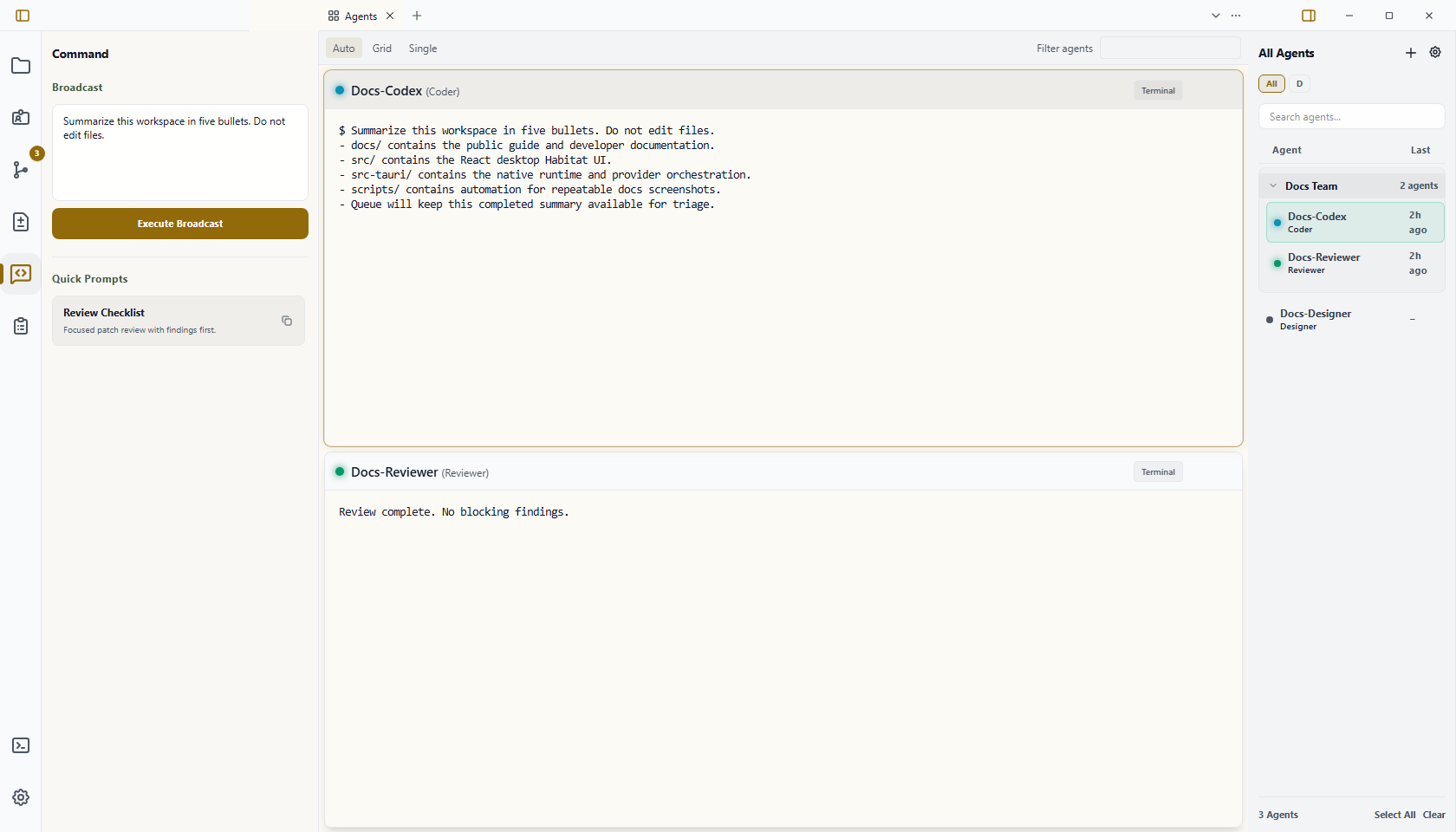
- Quick Prompts
- Broadcast
Both modes operate on your current agent selection in the right roster. Select at least one agent before Wardian enables prompt injection or broadcasting.
When to Use It
- Send a one-off coordination message to selected agents.
- Reuse a starred prompt from the Library.
- Ask a whole role group to report status after selecting that group in Watchlists.
- Broadcast after Getting Started when you have more than one active agent.
Basic Automation
- Select the target agents in the right roster.
- Open the Command tab in the left sidebar.
- Click a starred quick prompt or type a broadcast message.
- Confirm the all-agent fallback when no agents are selected.
- Keep the active agent session, Agents, Dashboard, or Inbox visible while responses arrive.
Quick Prompts
Quick Prompts are starred prompt files from the Library (<wardian-home>/library/prompts).
What happens when you click a quick prompt:
- Wardian reads the prompt content
- flattens multiline content into terminal-safe input
- sends it to selected agents
- stays disabled until you select at least one agent
Tips:
- Star prompts in the Library to make them appear here
- Use short prompt names so they are easy to scan under pressure
- Use this path for repeatable operational tasks (tests, diagnostics, common instructions)
Broadcast
Broadcast sends freeform text from the textarea to:
- selected agents
Behavior:
- human prompt submission uses Wardian's provider delivery adapter
- delivery evidence records the selected target and submission outcome
- one submission fan-outs to all chosen agent sessions
This is an explicit human submission. Automatic peer tasks and active-agent automation use the canonical messaging service; Codex receives those tasks through its native connection without pasting into the terminal composer.
Selection Rules
- Single selected agent: command goes to that one agent
- Multi-select: command goes to all selected agents
- No selection: prompt and broadcast controls remain disabled
Roster selection is a targeting action, not navigation. If you also want a selected agent's terminal visible, use Open or Open to Side from the roster. Changing Workbench tabs does not change the Command target set.
Common Patterns
- Use Quick Prompts for curated, repeatable instructions.
- Use Broadcast for ad-hoc coordination messages.
- Combine with watchlists to target only the relevant squad of agents.
Important Limits
- Broadcasts record delivery evidence, but unverified terminal submission does not guarantee that a provider accepts or completes the instruction.
- Command never sends to all active agents as a fallback; select the intended targets first.
- Quick Prompts only lists prompts starred in the Library.
- Use Wardian CLI for scriptable waits, marker watching, or structured peer asks.