The File Explorer
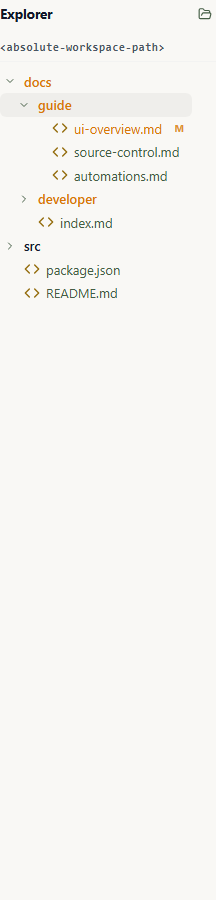
The Explorer is a specialized tab in the Left Sidebar that provides a tactile interface for browsing the physical files created and managed by your agents.
Use it when you need to inspect generated files, logs, prompt assets, or the selected agent's workspace without leaving Wardian.
When to Use It
- Browse the workspace for the agent selected in Watchlists.
- Inspect files after an agent reports completion in Inbox.
- Open a file in a permanent Files tab for reading or editing.
- Open a file or folder in your configured local app or editor.
- Reveal a file in the system file manager when you need native OS actions.
Basic Automation
- Select an agent in the right roster, or clear selection for global Wardian home browsing.
- Open the Explorer tab in the left sidebar.
- Expand folders to inspect files. Large folders show an initial set of rows immediately, then finish loading the sorted directory listing in the background.
- Click a file to use the matching broad file-family preference in Settings. Wardian-supported files open in a permanent Files tab by default; unsupported files use the system-preferred viewer.
- Use the Explorer title actions to reveal the current root in your system file manager or open the entire root in your configured external app.
- Use open, open externally, reveal, copy path, or delete from the file context menu.
- Move to Source Control when the selected root is a Git workspace and you need to review changes.
Send Files to an Agent
Drag a file row from the Explorer onto an agent's Chat composer to add it as an attachment. Drag the same row onto an agent's Terminal to insert its quoted path at the prompt. You can also drop files from the operating system onto either surface. Chat shows attachment chips; Terminal inserts paths but does not run the command, so review the line and press Enter when ready.
Folders are not draggable in this automation. Local paths are inserted as local paths; Wardian does not upload them to a remote workspace automatically.
Root Behavior
The Explorer is context-aware and automatically re-roots itself based on your selection:
1. Agent Selected
When you select an agent in the Roster (Right Sidebar), the Explorer roots itself in that agent's configured primary workspace or assigned Git worktree. That primary workspace and the agent's explicit additional directories are the content roots that the Files backend trusts. Wardian-managed system_include_directories contain instructions and skills; they are not content grants and cannot be opened through Files.
2. No Selection (Global Mode)
When no agent is selected, the Explorer roots itself in the main Wardian home directory: <wardian-home>/ This allows you to manually browse common data, shared lineages, and global configuration files.
🖱️ File Interactions
Clicking a folder expands or collapses it. Clicking a supported file uses its configured broad file-family preference from Settings:
- Open in Wardian opens a permanent read-only Files tab. Single clicks, double-clicks, and pressing
Enteruse the same permanent opening behavior. - Open in external app uses the configured External editor preference.
Unknown or unsupported files, such as office documents, always open in the operating system's preferred application. Configured VS Code and custom editor settings do not apply to them.
The Explorer also supports standard right-click actions for rapid file management:
- Open: Uses the file family's Settings preference: Wardian-preferred files open in a permanent Files tab, external-preferred files use the configured editor, and unsupported files use the system-preferred application.
- Open to Side: Uses the same family preference. Wardian-preferred files open in a permanent Files tab in an adjacent pane when the Workbench can admit the split; external and unsupported files use their configured or system-preferred application instead.
- Open in External App: Opens the selected folder, or an editor-friendly file, using the configured Explorer editor preference. Binary, media, archive, executable, and document files use the operating system's default handler. You can switch editor-friendly paths to VS Code or a custom executable in Settings.
- Reveal in System Explorer: Opens your OS file manager (Windows Explorer or macOS Finder) directly to the selected file or folder.
- Copy Path: Copies the absolute path of the file to your clipboard.
- Delete: Permanently removes the file or directory from your disk (requires confirmation).
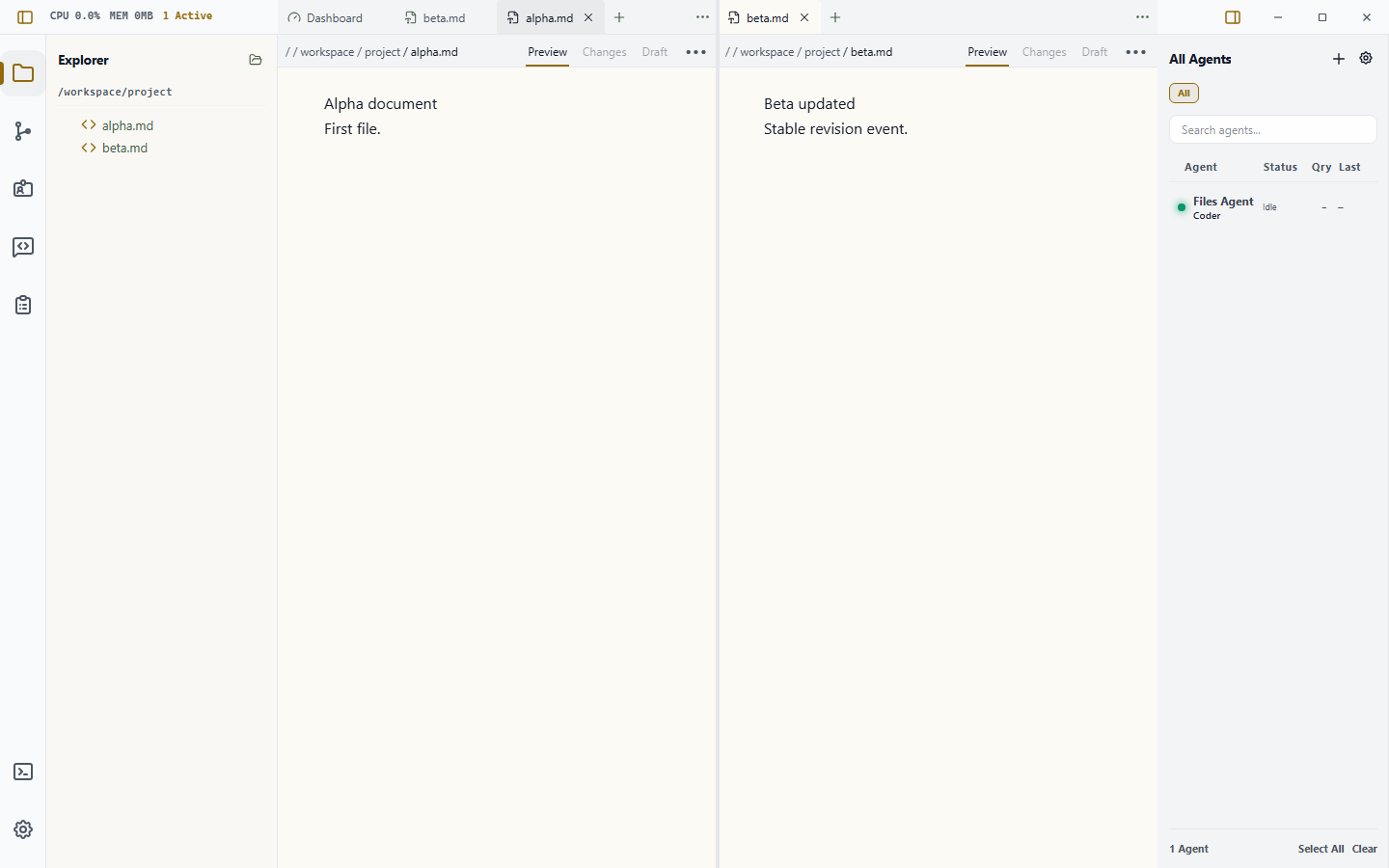
The example below shows Explorer-driven Markdown files in permanent Files tabs across two panes when Markdown is Wardian-preferred. The second pane has already reloaded its stable backend revision.
Preview Controls
Rendered Markdown includes a compact presentation icon beside the file actions. The reading icon indicates rendered Markdown; activating it switches the current Preview presentation to the editable Monaco source view. The pencil indicates source; activating it switches back to rendered Markdown. The tooltip and accessible label describe that action. This does not create another tab or file subscription. Plain text is already source, while images and PDFs keep their media-specific controls.
Markdown previews preserve the file as the source of truth while making long documents easier to scan: GitHub-flavored tables stay semantic and scroll when they are wider than the pane, footnotes and task lists render as document content, and fenced code blocks show their language with a Copy action. The source editor uses the active Wardian theme, wraps Markdown for reading and editing, and keeps ordinary code horizontally scrollable.
Windows paths are shown without the internal \\?\ extended-length prefix. Wardian still retains and authorizes the original canonical path behind the displayed breadcrumb.
Image and PDF previews keep their controls inside the pane. The PDF toolbar wraps at narrow split widths, and its search field shrinks without clipping the zoom controls. Zooming keeps the visible page anchored while the virtual page window is recalculated, including when the pane is resized. Focus the labeled PDF document viewport to use the browser's native arrow and page scrolling.
The File actions menu supports pointer use as well as Arrow Up, Arrow Down, Home, and End. Escape closes the menu and returns focus to its trigger. Markdown links to authorized local files use the same family preference as other file links, including UNC file://server/share/... links. Wardian keeps the target inside the Files surface when that family is Wardian-preferred and uses the configured external or system viewer otherwise; the backend still performs the final root/capability check before opening the target.
Agent terminals and the bottom user terminal also make recognized file paths and URLs clickable, including links that wrap across terminal rows. Ordinary HTTP(S) URLs use Wardian's synchronous terminal link handling; a separate provider adds validated file paths and provider-TUI hard-wrapped URLs. File paths use the same type-sensitive family preference as Explorer Open; URLs open as URLs. Wardian validates terminal file links before showing them, so slash-looking command names or prose fragments are ignored unless they resolve to a real file or folder.
Git Status Markers
When the selected root is a Git repository, the Explorer uses status colors and markers to identify changed, staged, deleted, and untracked paths. Parent folders are highlighted when they contain changed files.
Important Limits
- Delete removes files from disk after confirmation; it is not a soft-hide operation.
- Explorer context follows selection. If the tree is not showing the workspace you expect, check the selected agent in the roster.
- Current in-app previews support validated UTF-8 text and Markdown, images, and PDFs. Complete text models are limited to 16 MiB and 200,000 lines; images to 64 MiB and 64 million decoded pixels; PDFs to 256 MiB. Oversized content stays in the metadata fallback with Open With; unsupported content requests the system-preferred viewer and returns to metadata with Open With if that launch fails. PDF search is bounded to 128 pages or two seconds per query; partial results show how much of the document was searched.
- Active HTML and SVG are deliberately unavailable in this foundation. They will not render live until the capability-free, networkless artifact host and artifact review lifecycle ship.
- A native picker grant applies only to the exact selected canonical file. It never grants the parent directory or a sibling file. The picker capability is backend-owned and is not stored in the Workbench document. Wardian remembers the exact canonical path across relaunches and creates a newly verified live capability when that file is restored.
- Files is not offered in the New Surface launcher yet. Open ordinary files from Explorer. The launcher remains reserved until artifact presentation, review, and active-content isolation are complete.