Settings
Settings controls Wardian's global app preferences, display behavior, terminal defaults, Explorer behavior, watchlist behavior, provider defaults, and provider maintenance utilities.
Open Settings from the gear icon on the left icon rail. It opens as a near-full-screen app modal and does not change the currently selected sidebar pane or main workspace view.
The modal covers the Workbench, including split panes, and dims the underlying content until you close it.
Storage
Settings in this screen are global. Wardian stores durable settings under <WARDIAN_HOME>/settings/. These files store sparse user overrides, not the entire resolved settings object. Missing fields inherit Wardian's current computed defaults for the app and operating system.
settings/app.json: app preferences such as theme, top bar telemetry visibility, Agent card display, Watchlist new agent position, terminal font size, terminal font family, file opening preferences, Explorer behavior, and Gemini auto-patch, and Agent memory.settings/shell.json: runtime preferences such as shell selection, default provider, regular agent session policy, and Codex runtime defaults.
Project, workspace, agent-class, and per-agent settings scopes are not part of the current Settings screen.
Navigation and Search
The Settings modal has category navigation and a search field. Search matches setting labels, short descriptions, and related keywords.
Categories:
- General: app version, update status, and onboarding guidance.
- Appearance: app theme and top bar telemetry visibility.
- Agents: display mode for agent cards in Agents surfaces.
- Inbox: Inbox event desktop and sound notification rules.
- Explorer: broad file-family opening behavior and the external app or editor used by Explorer, chat, and terminals.
- Watchlist: roster behavior for newly spawned agents.
- Terminal: terminal font and shell defaults.
- Agent Runtime: the default workspace and provider, regular agent session behavior, and provider-specific runtime defaults such as the Codex subsection.
- Provider Utilities: provider-specific maintenance actions such as Gemini patching.
- Remote Access: phone pairing, local gateway configuration, paired devices, and setup diagnostics for Tailscale HTTPS access.
- Advanced: settings file and diagnostics information.
Each row includes a short detail line. For example, the default provider row notes that Auto prefers Claude when available.
Updates
The General category shows the currently running Wardian version, such as Wardian vX.Y.Z.
Onboarding Guidance
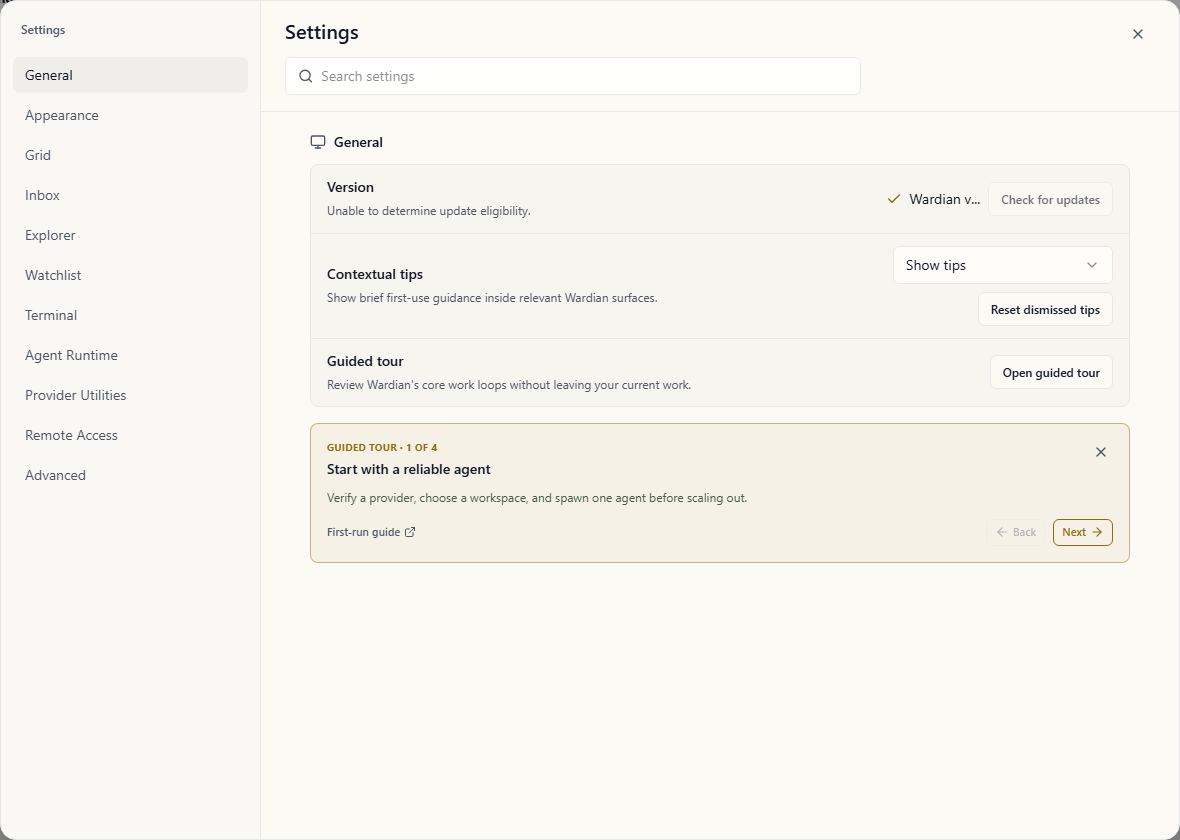
The General category controls optional in-app guidance:
- Contextual tips shows or hides brief first-use guidance inside relevant surfaces. Dismissing one tip hides only that tip; hiding contextual tips hides every tip without deleting its dismissal history.
- Reset dismissed tips makes individually dismissed tips eligible to appear again. It does not change the contextual-tips setting.
- Guided tour is offered once to a new habitat. Choose Take the tour to open the relevant surface for each action with the rest of the workbench dimmed, or choose Not now. It remains available here later, even when contextual tips are hidden. On first launch, the tour waits for the Evolver, Orchestrator, graph edge, and conversation-review schedule to exist before it advances; it does not create them automatically. The Evolver setup first focuses its name, class, workspace, provider, and spawn controls in turn. Wardian resolves and displays the current habitat's
.wardianpath for the Evolver workspace: the Evolver analyzes Wardian conversation history across the habitat, rather than one project. Opening it later from Settings starts a review at the first area and provides Next area so an existing habitat can revisit every surface. You choose the provider, conversation scope, and cadence in the relevant surfaces.
Wardian checks for updates silently when the desktop app starts. If a newer stable release is available, Wardian shows one in-app Review update notice and marks the Settings gear. Choose Review update to open the update row in Settings. Choose Later to hide the notice for the current session; the Settings marker remains so the update stays discoverable. Wardian does not use an operating-system notification for updates.
If no newer stable release is available, Settings shows that Wardian is up to date. If a newer release is available, use Install update to fetch and install it from inside the app.
Wardian does not install updates before you choose Install update. After installation completes, Wardian relaunches into the updated version.
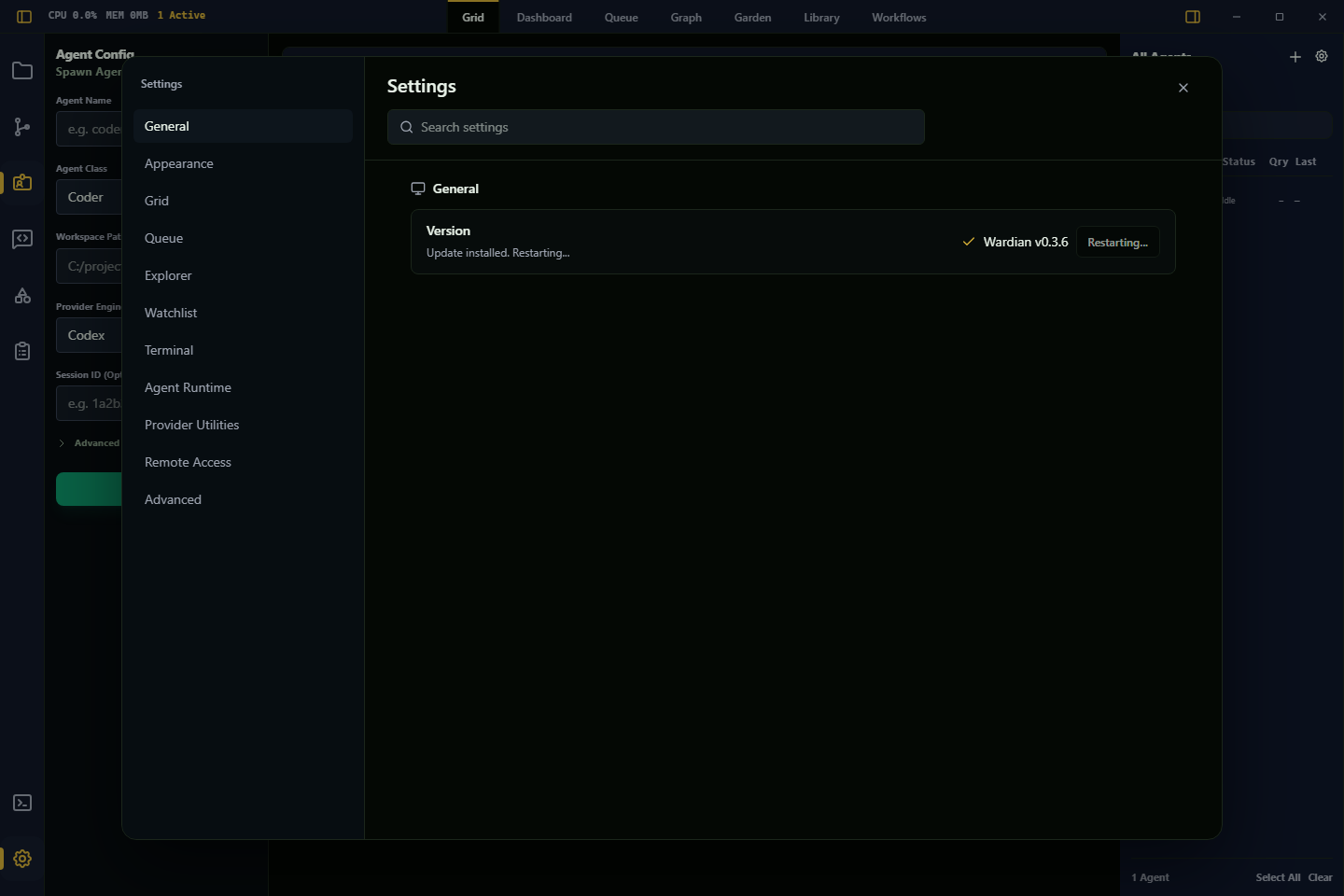
On Windows, Wardian may close before the installer window appears. This is expected: the updater waits for the running app process to exit before starting the installer so the executable can be replaced cleanly.
On Windows, if Settings says the install location cannot be verified, run the latest Wardian installer manually once so the updater, registry install path, and shortcuts point to the same app copy.
Update checks are available only in official installed release builds. Dev builds and local source-built binaries show the running Wardian version, but Settings disables update checks so local builds are not replaced by public release installers.
If update checks fail:
- verify internet access to GitHub Releases
- try Check Now
- install the latest release manually if the running build predates in-app update support
Appearance
Theme options:
- System
- Dark
- Light
Wardian applies the selected mode to the app UI and syncs the OpenCode theme preference through backend settings.
The Top bar telemetry control shows or hides the CPU, memory, and active agent count cluster beside the left sidebar toggle. It does not disable telemetry collection or remove telemetry from Dashboard, Grid, Graph, or Watchlist views.
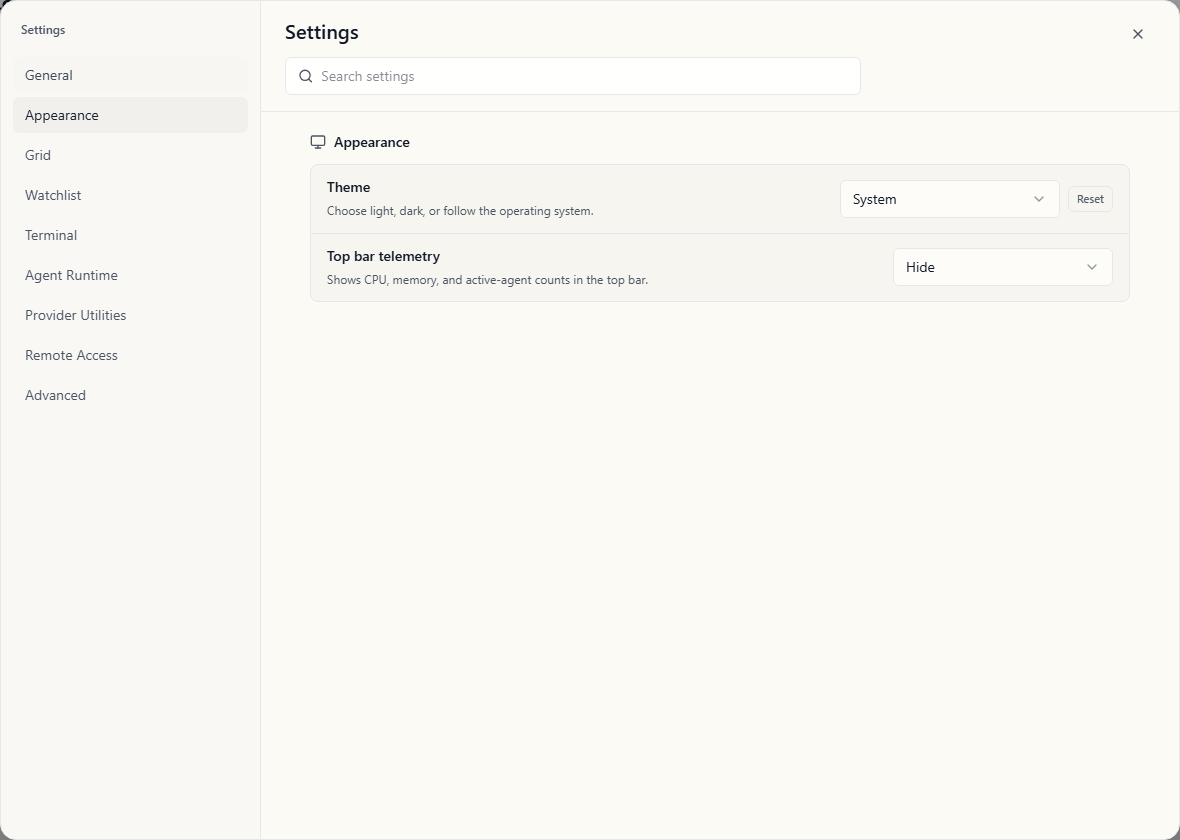
Top bar telemetry is hidden by default in every build. Choose Show when you want the CPU, memory, and active-agent counts beside the left sidebar toggle.
Agents
The Agent card display control sets the global display mode for cards in Agents surfaces:
- Terminal shows the provider terminal/TUI, including raw keyboard control, approvals, and raw output.
- Chat shows normalized transcript and activity events for scanning multiple agents, plus a compact prompt composer and clickable approval choices when Wardian recognizes an action-required prompt.
Use Terminal mode when you need raw TUI controls, provider-specific keybindings, or detailed terminal behavior. Individual Grid cards can still be switched between Terminal and Chat from the card header without changing this default.
Explorer
The Text and code files, Image files, and PDF files controls set where each broad file family opens from Explorer, chat Markdown links, agent terminals, and the bottom user terminal:
- Open in Wardian opens a permanent Files tab. This is the default.
- Open in external app uses the configured External editor preference.
These controls are intentionally grouped by file family rather than exposing one setting for every extension. Files that Wardian does not recognize or cannot render, including office documents, use the system-preferred viewer. Older settings documents that contain explorer_file_click_action are migrated once into the family preferences; current settings expose and use only those family controls.
Folders always expand or collapse when clicked.
The External editor control sets which configured app is used when a file family is set to Open in external app, when you choose Open in External App from the Explorer right-click menu, and for editor-friendly file paths in terminal output:
- System default app uses the operating system's registered app for the selected file or folder. This is Wardian's default because it respects file type associations and works without extra editor setup.
- VS Code (code command) launches the
codecommand-line entry point with the selected folder or editor-friendly file. - Custom executable launches the configured executable with the selected folder or editor-friendly file as its argument.
Binary, media, archive, executable, and document files still use the operating system's default handler even when VS Code or a custom executable is selected. Folders always follow the selected External editor preference.
If VS Code does not open, Wardian shows the launch error in Explorer. Verify the code command is available on Wardian's app process PATH or use Custom executable to point directly at your editor.
Terminal URLs open as URLs, including OSC hyperlinks emitted by provider TUIs. Terminal file paths use the same type-sensitive opening behavior so agent terminals and the bottom user terminal match Explorer. Terminal file paths are validated before they become clickable, which keeps command names such as /model from being treated as files unless they resolve to a real target.
Watchlist
The New agent position control sets where newly spawned visible agents land in the right-side roster:
- Top preserves the existing behavior and puts the newly spawned agent at the front of the global roster order.
- Bottom appends the newly spawned agent to the end of the global roster order.
This setting applies to new visible agents spawned from the Agent Configuration pane and to agents created with wardian agent spawn while the desktop app is running for the same WARDIAN_HOME. It does not re-sort existing agents on startup, reinterpret manual drag order, or override clone/team placement behavior.
Terminal
Terminal settings control the embedded terminal display and the shell used for shell-hosted commands:
- Terminal font size applies immediately to embedded agent terminals.
- Terminal font family can use the platform default or a selected monospace font. The default option names the font Wardian currently resolves.
- Integrated terminal shell can use Wardian's resolved default shell, a discovered shell, or Custom. The default option names the shell Wardian currently resolves.
Runtime shell changes affect future terminal launches and shell-hosted automation commands.
Agent Runtime
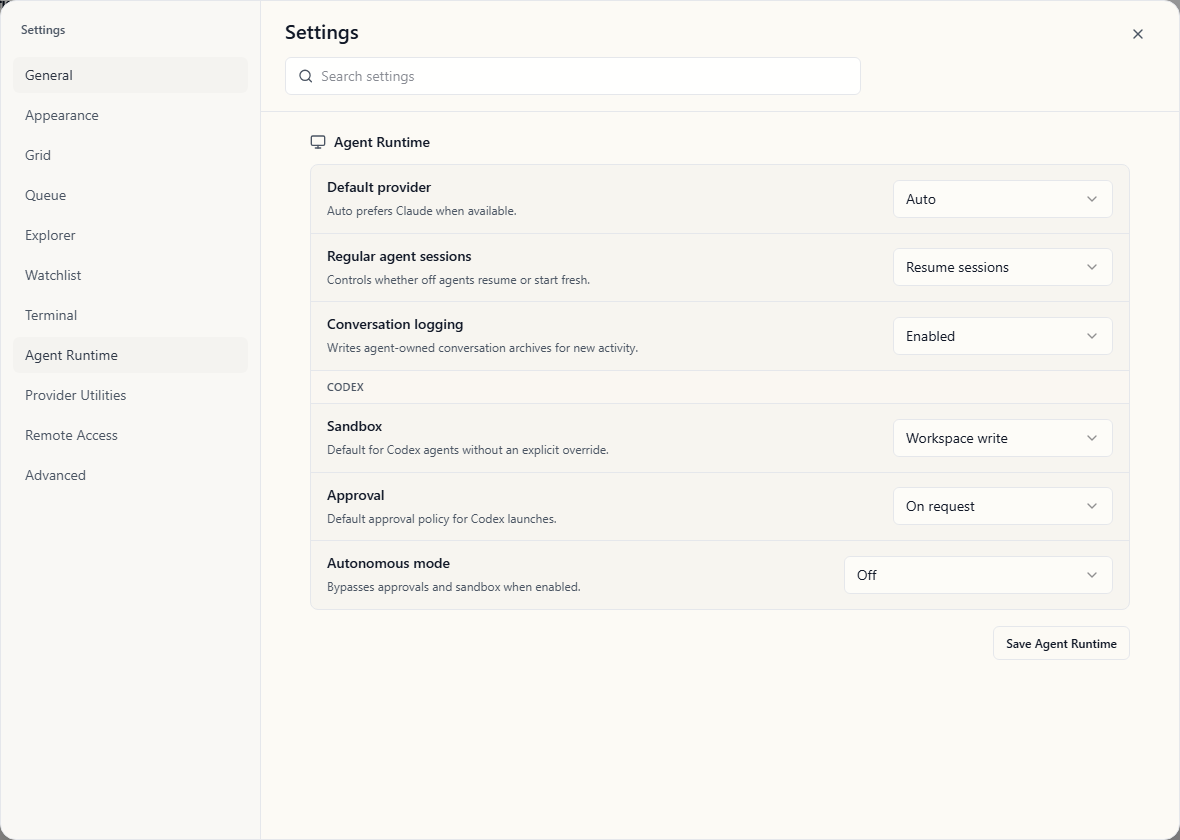
Default workspace is prefilled in the Spawn Agent panel for new agents. The spawn action remains unavailable until it has a non-empty workspace path, and the saved value applies to future spawns only.
Default provider controls the provider Wardian preselects when starting a new visible agent. Auto prefers Claude when available and falls back to the first installed supported provider.
Regular agent sessions controls how normal visible agents behave when resumed from Off:
- Resume sessions
- Start fresh
Automation Agent nodes use their own node-level run mode and do not inherit this global regular-agent setting.
Conversation logging controls whether Wardian writes new agent-owned conversation archive records. It defaults to enabled. When disabled, Wardian writes no new conversation records and does not backfill missed activity after the setting is re-enabled.
Agent memory controls Wardian's experimental durable-memory integration. It is disabled by default. When disabled, new provider processes receive no startup memory recall, direct-retention instructions, or managed memory capability; existing records remain available for inspection. Enabling it applies to newly launched or restarted provider processes. The setting does not enable the optional Memory Consolidation automation by itself.
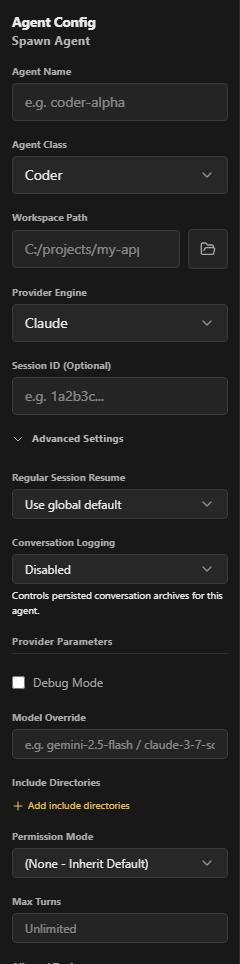
Individual agents can override this from their own Advanced Settings. Set Conversation Logging to Use global setting, Enabled, or Disabled to control new archive writes for that agent without restarting its provider process.
The Codex subsection contains Codex-specific runtime defaults. These apply when Codex agents do not set explicit advanced sandbox or approval overrides. Wardian's default Codex policy is workspace write access with approval prompts and autonomous mode off. The Approval selector also includes Approve for me, which routes eligible approval requests through Codex automatic review using its workspace-write sandbox. This is distinct from Autonomous mode: automatic review still evaluates approval requests, while autonomous mode bypasses approvals and sandboxing entirely.
The Codex approval choices map to the provider launch behavior:
- Ask for approval uses Codex's
on-requestpolicy and surfaces requests to the user. - Approve for me uses Codex's
--approve-for-meoption. It does not pass the value through--ask-for-approval. - Untrusted and Never retain their Codex approval-policy behavior.
These settings affect future Codex launches and resumes. An explicit per-agent approval override in Advanced Settings takes precedence over the global choice.
Trust launch workspaces is off by default. When enabled, new Codex launches mark the agent's configured workspace as a trusted Codex project for that launch. This reduces repeated Codex directory trust prompts without enabling autonomous mode or changing the sandbox and approval controls. It affects future launches and resumes only; restart an existing Codex agent for the setting to take effect.
Provider Utilities
The Gemini patch controls help Gemini discover Wardian skills:
- Auto-patch Gemini CLI
- Run Patch Now
Changing Gemini patch settings does not affect Claude, Codex, Antigravity, OpenCode, or Pi behavior.
Troubleshooting
- Use Advanced > Settings files to open
<WARDIAN_HOME>/settings/or copy the folder path for inspection, backup, or manual recovery. - If shell options are empty, verify shell binaries are installed and visible in your OS PATH.
- If provider options are disabled elsewhere in Wardian, install the provider CLI and make sure Wardian can see it on the app process PATH. See Provider Readiness.
- If Grid chat mode is empty, switch to Terminal mode to inspect the raw provider session and confirm the agent has emitted transcript data.
- If newly spawned agents are not where you expect, check Watchlist > New agent position and any active manual roster order.
- If resume behavior is not what you expect, verify both the global runtime policy and any per-agent override.
- If Gemini skills are missing, run the patch manually and restart the app session.
Important Limits
- Settings are global only in the current implementation.
- Watchlist new agent position affects explicit new spawns only; existing agent order, clones, teams, and custom watchlist entries keep their own ordering rules.
- Shell and runtime policy changes affect future launches and resumes; they do not reconfigure an already-running provider process.
- Grid chat mode handles standard text prompts and recognized approval choices. Terminal mode is still required for raw TUI controls and provider approval screens that need direct terminal interaction.
- Automation Agent nodes have their own execution mode and do not simply inherit the regular-agent resume default.
- Agent memory is an opt-in experimental feature and changes apply to future provider processes; restart an existing agent after changing the setting.
- Provider utilities are provider-specific.